



Why this app
Four things the cheap IPTV apps don’t do
If you’ve used a couple of IPTV apps before, you know they range from “barely works” to “clearly built in a weekend by one person.” The work that goes into making one that actually feels fast is invisible — until you switch to one that doesn’t.
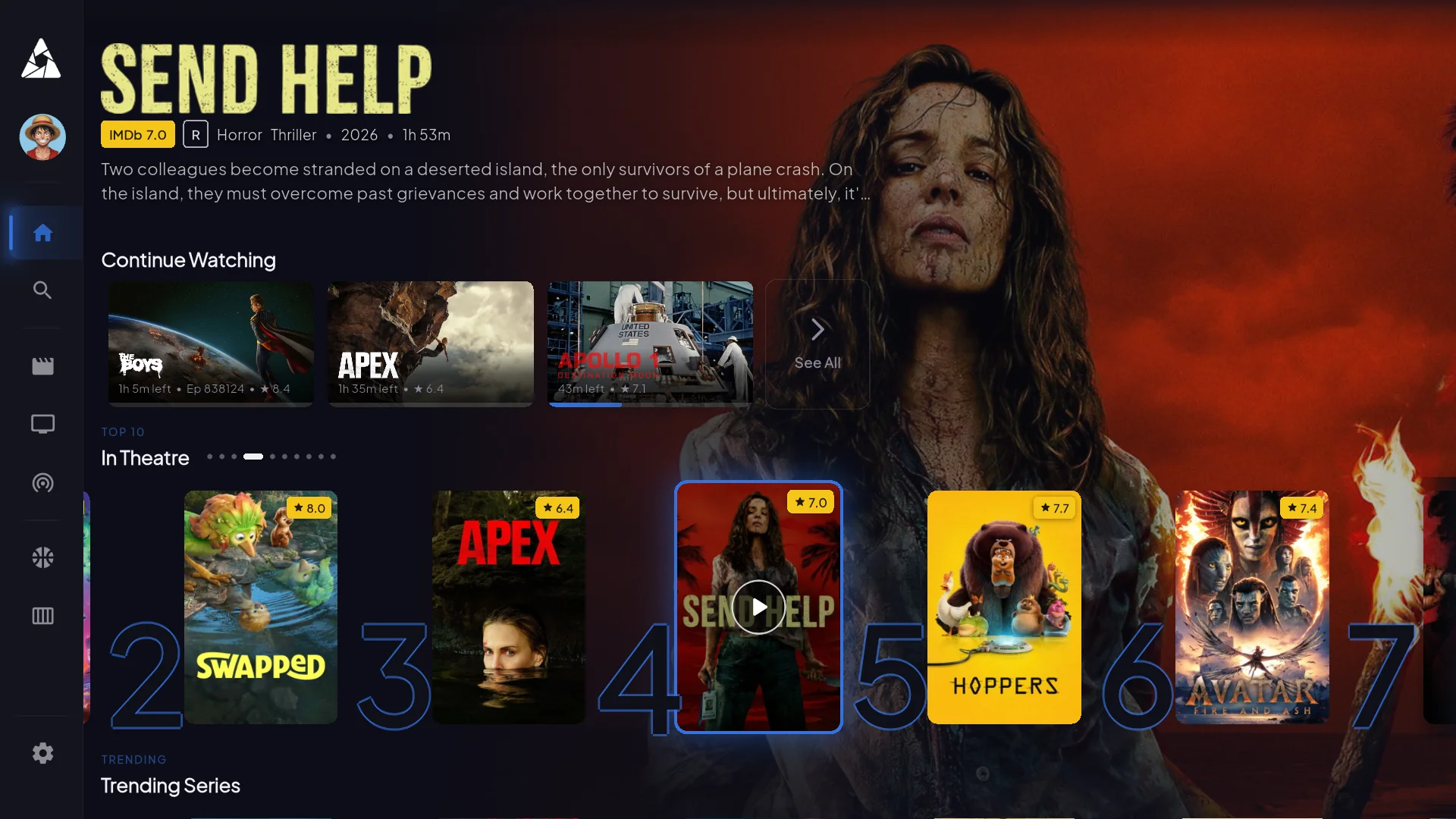
EPG that loads in 2 seconds
Most IPTV guides take 30+ seconds on first open. Ours is pre-rendered server-side and cached on the device. After first launch, it's instant.
~600ms anti-freeze fail-over
When an upstream broadcast feed dies, the player switches to a backup source in under a second. You see a brief flash, not a 30-second buffer.
Five devices, no throttle
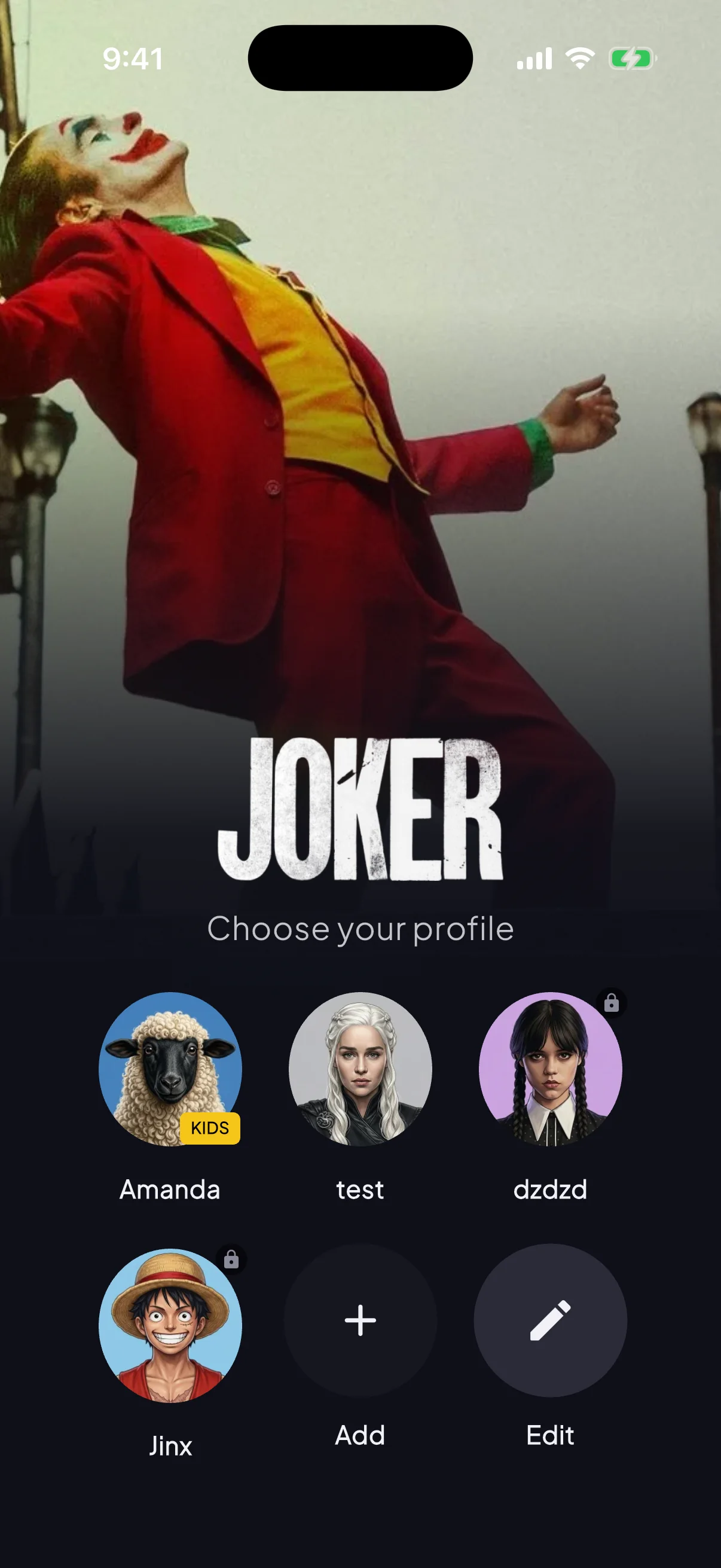
Real five simultaneous streams per account. Separate profiles per device so kids' content stays separate from adult lineups, with parental controls.
Catchup TV — last 7 days
Replay yesterday's match or last night's episode without scheduling a recording. Available on most channels — 3 to 7 days back depending on broadcaster.
90,000+ on-demand titles
The library is real
Updated weekly. Major studio releases land within a week of theatrical, sometimes the same day. Plus the entire back catalog you’d expect — IMDB top 250, every cult classic, full series box-sets.

Action
The Dark Knight

Sci-Fi
Interstellar

Thriller
Inception

Drama
The Shawshank Redemption
Plus 89,996 more titles in the VOD library. Search in-app or browse by genre, year, or studio.
Networks you recognize
Every major US, UK and EU network
Plus 21,988 more channels including sports, international, 4K feeds, premium movie channels, and regional broadcasters. See the full channel list.


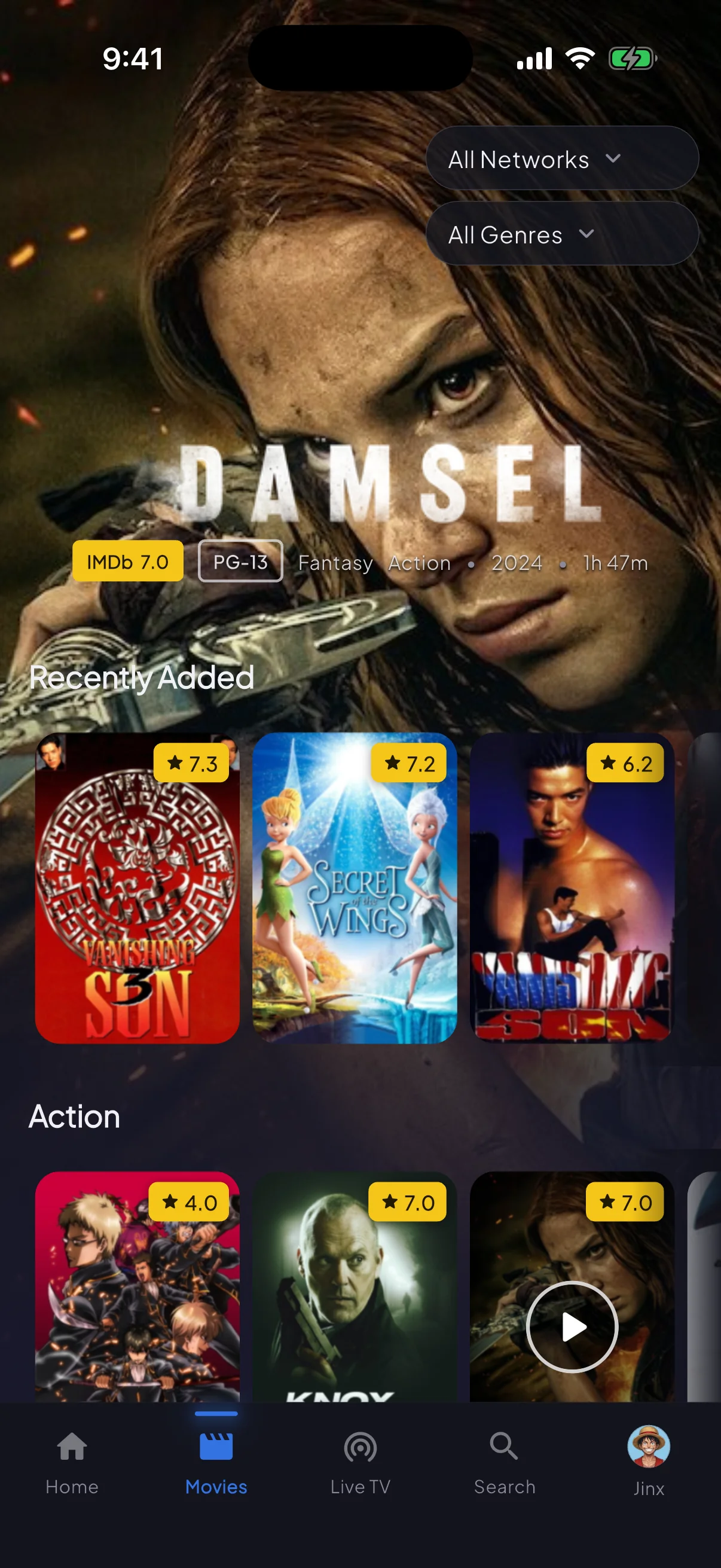
On your phone
Same app, vertical layout
iPhone, iPad, Android — one codebase, same lineup, same login. Picture-in-picture, AirPlay, and Chromecast all supported.
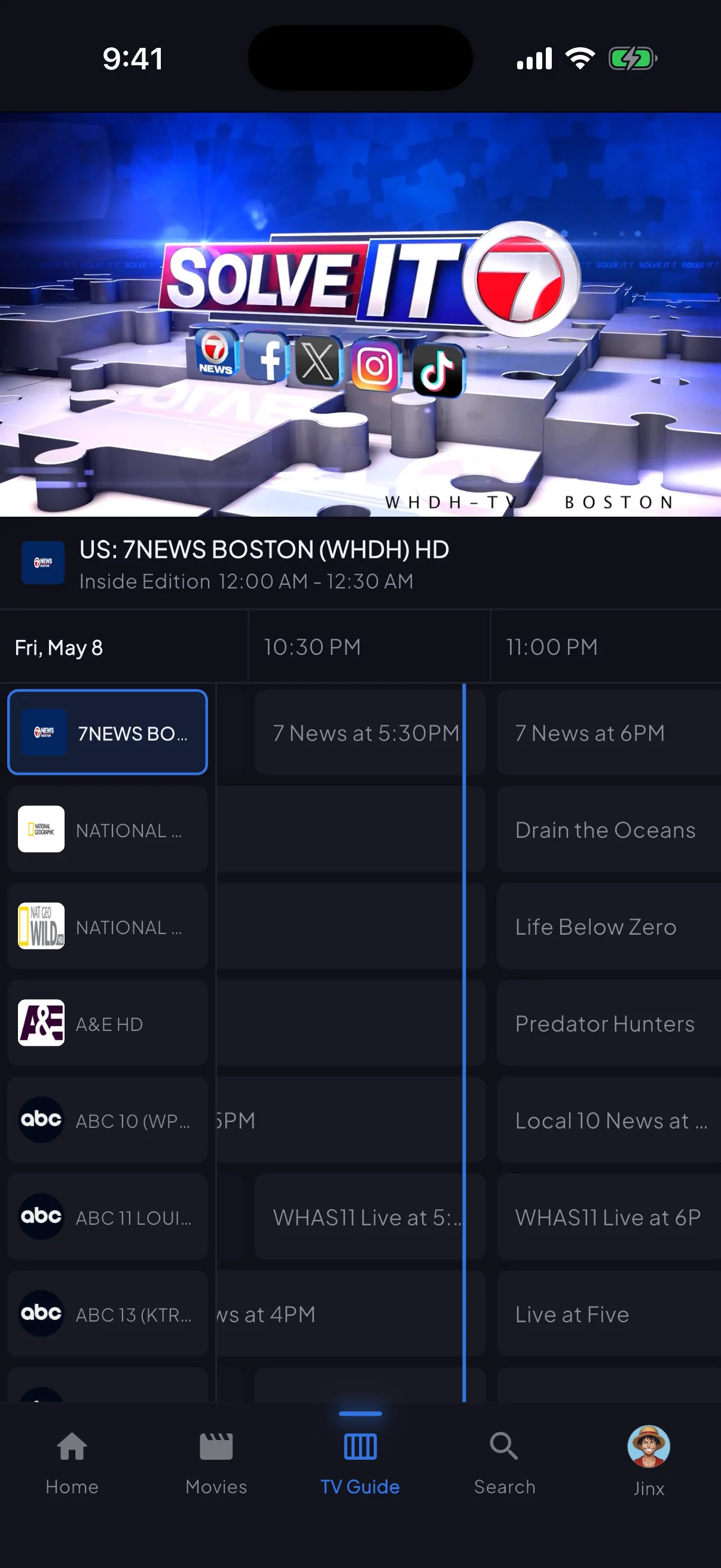
Inside the TV app
See it before you buy it
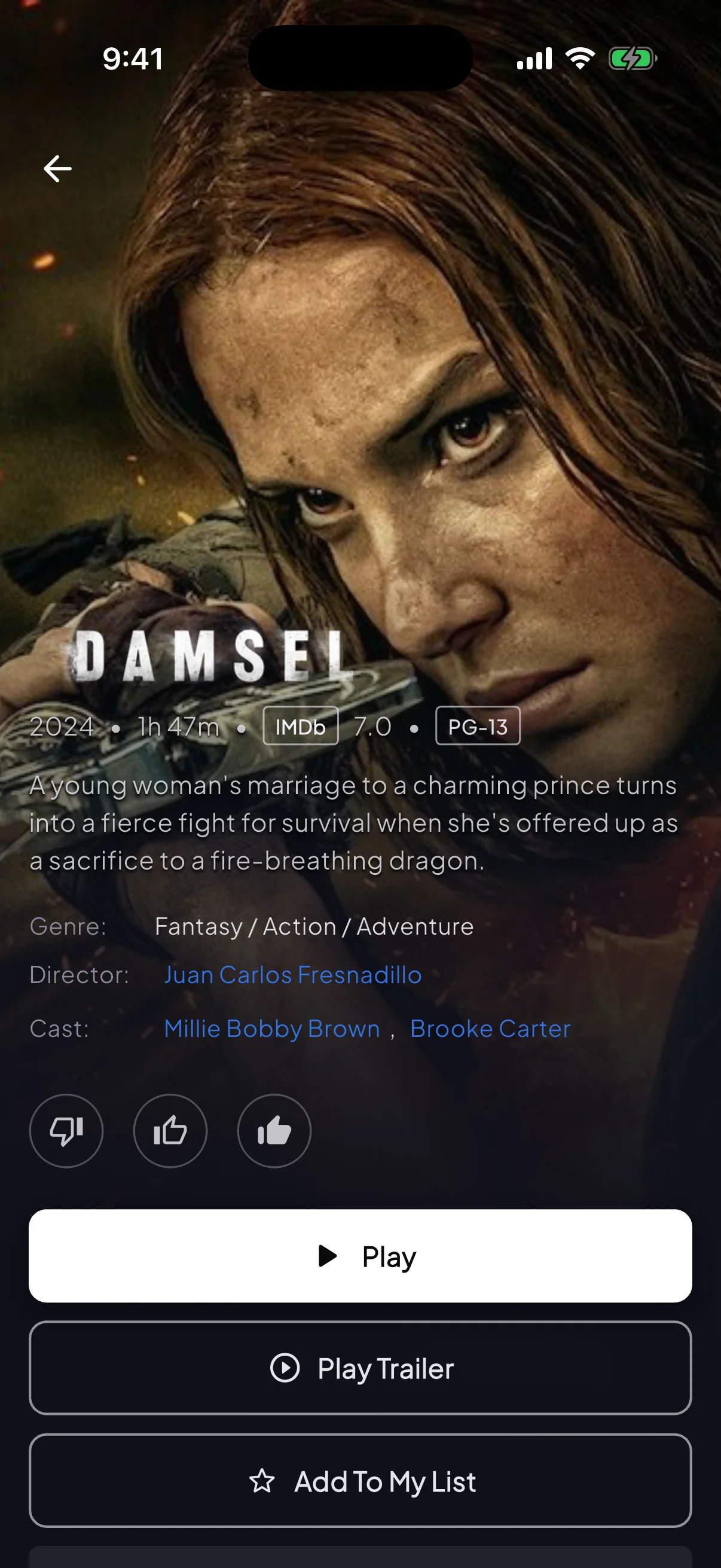
Four screens that cover what most subscribers actually use day-to-day. These are screenshots from the live app — nothing mocked up.
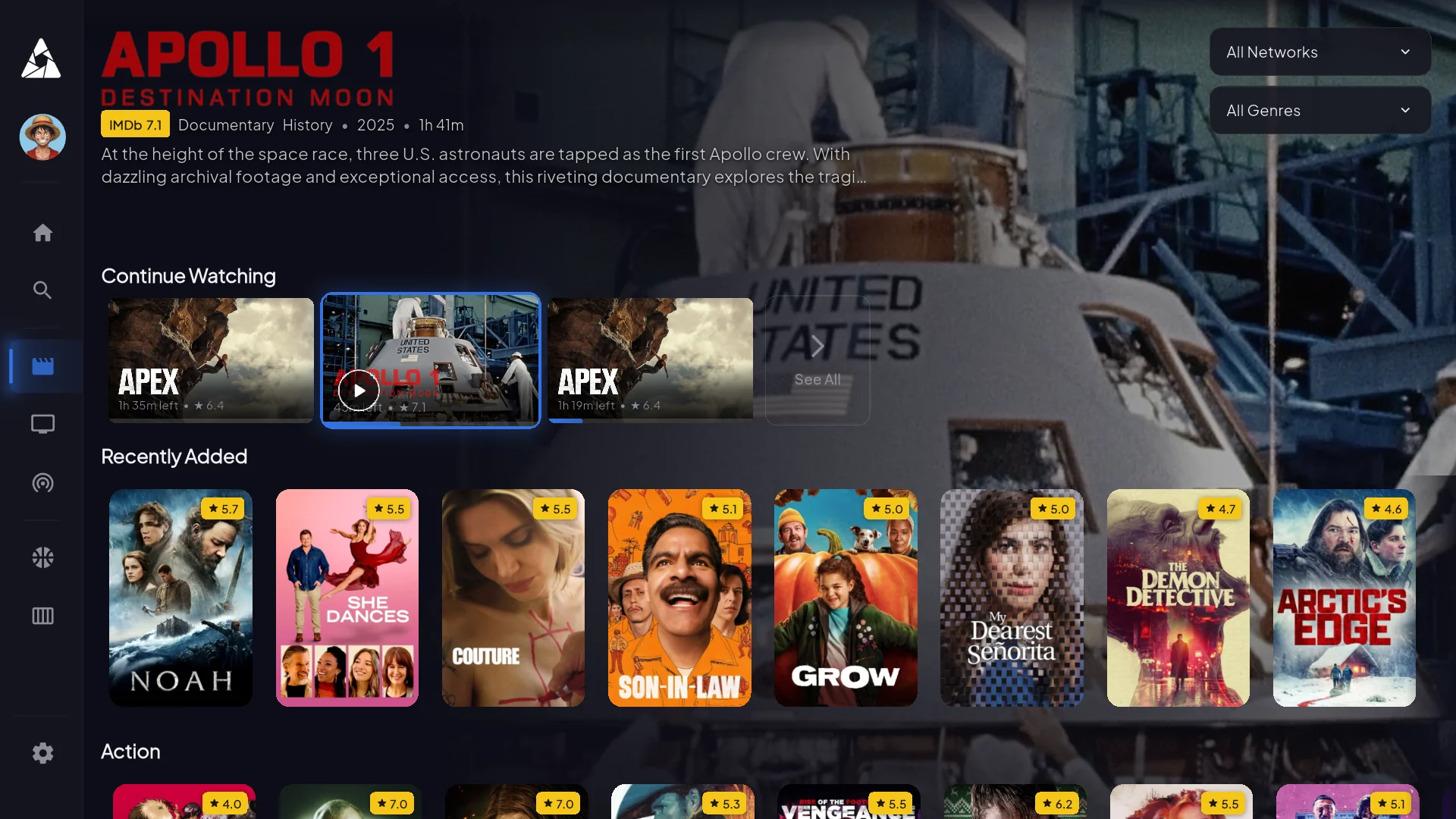
VOD detail pages
TMDB metadata, cast, runtime, related films. So you know what you're about to watch.
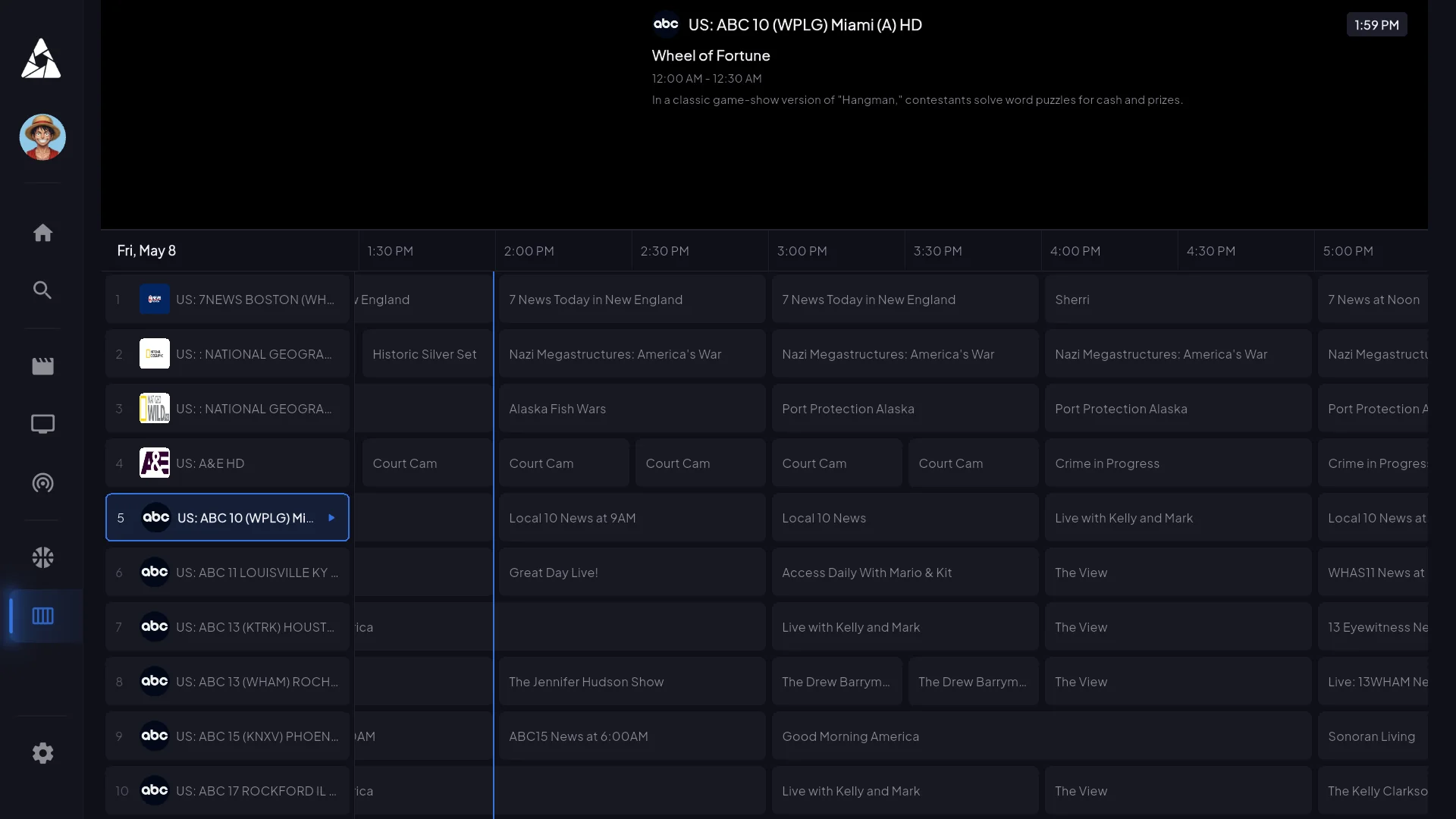
EPG — 7 days of guide data
Filter by category, jump to a specific time slot, set reminders. Loads in 2s on first launch, instant after that.
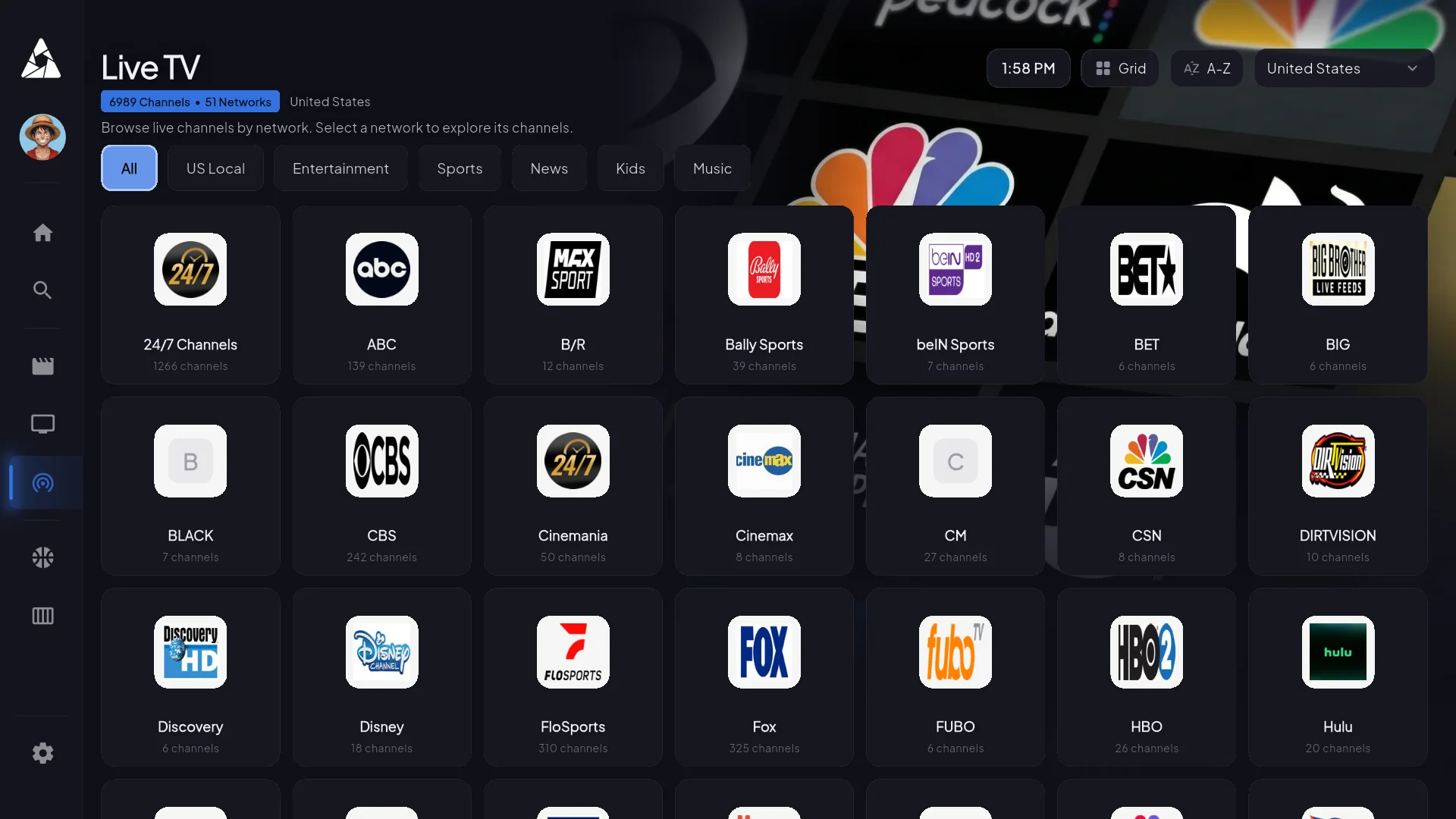
Live channels — 22,000+ feeds
Filter by country, genre, or sport. Scrolls smoothly even at 22k entries — most apps lag here.
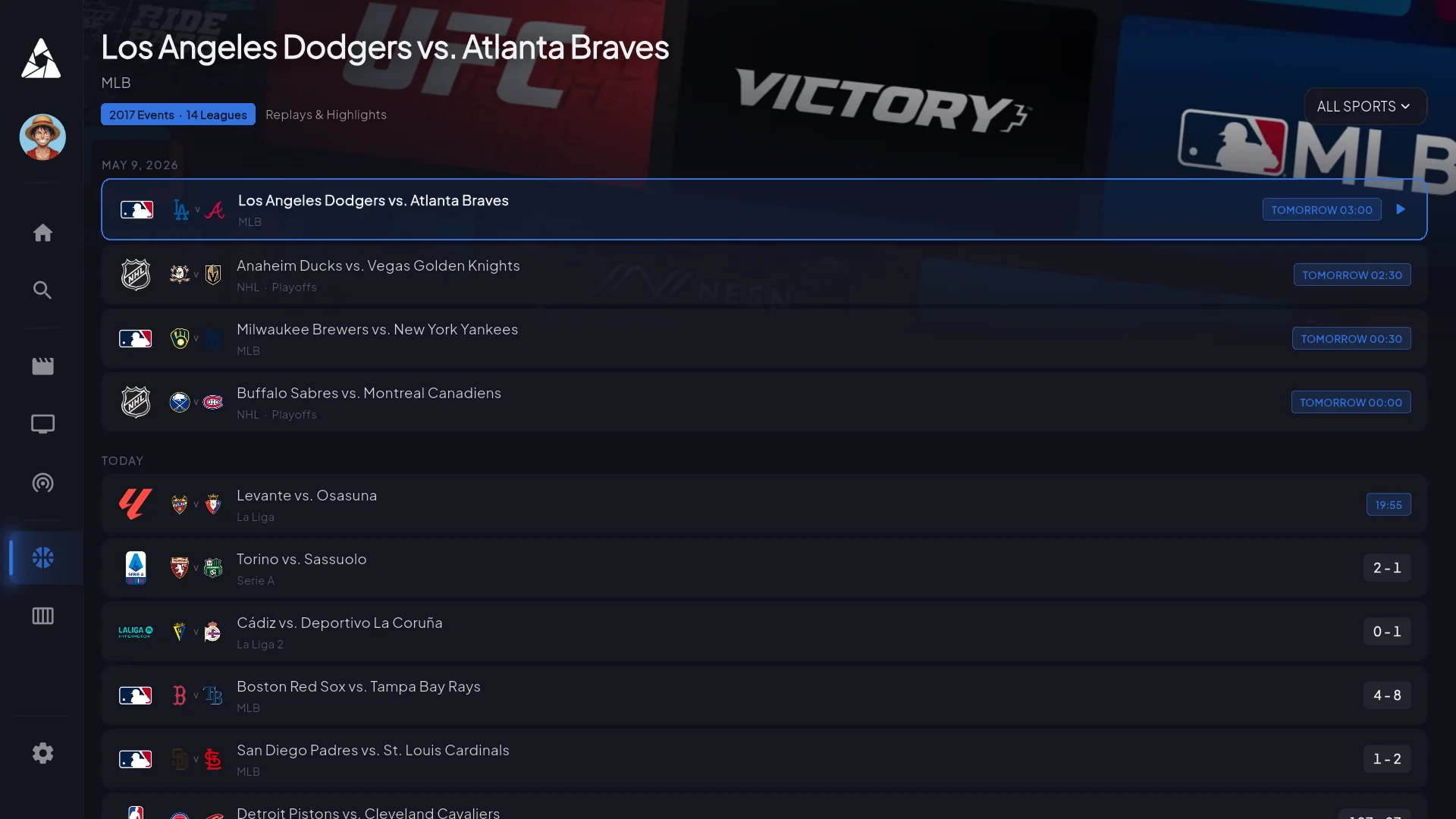
Sports — live first, schedule second
What's on right now, who's playing tonight. Click a match and you land on the channel carrying it — no schedule-guessing.
Install it anywhere
Every device we run on
Nine platforms. A few use sideloading or third-party players because the platform owner won’t allow generic IPTV apps in their store — the install guides walk you through each.
Amazon Firestick & Fire TV
Sideload via Downloader (~5 min)
Android TV & Google TV
Direct APK install
Samsung & LG Smart TV
Built-in player + M3U credentials
iPhone & iPad
SmartersPlayer + M3U credentials
Apple TV
TestFlight workaround
Roku
Screen mirror from phone
NVIDIA Shield / Mi Box / Chromecast
Direct APK install
MAG / Formuler / Enigma2
Portal URL + MAC address
Windows / Mac / Linux
VLC or any M3U player
Device you don’t see here? Ask support — we probably support it but didn’t list it.
Requirements
What you need on your end
Honest minimums. The app runs on lower specs but it’ll stutter — don’t buy a $25 Firestick Lite expecting smooth 4K.
Internet
- 8 Mbps — HD on one device
- 15 Mbps — 4K streaming
- 25+ Mbps — 4K + family streaming
Device
- 2 GB RAM (4 GB for 4K)
- Android 8+ / iOS 14+
- Fire OS 7+ on Firestick
- ~150 MB free storage
Codecs
- H.264 + H.265 (HEVC)
- AAC + AC3 audio
- SRT + WebVTT subs
- Falls back to H.264 on older Firesticks
Get started
Pick your device, follow the guide
App questions
What people ask about the app
For general billing or channel questions, head to the main FAQ. These are the ones specifically about how the app behaves.
The EPG is empty on first launch. Did I break something?
No. The guide downloads in the background the first time you open the app — usually fully populated within 5–10 minutes. Channels still play normally during that window, you just have to know what you want to watch by name. Force-closing and reopening doesn't speed it up.
Does the app cache video for offline playback?
No. It's a live IPTV app — there's nothing to download. The VOD library streams on-demand.
Can the app record live TV?
Catchup TV gives you back the last 3–7 days of programming on most channels. True DVR/PVR is on the roadmap for Android TV — not all platforms will get it because of storage constraints.
Does it support picture-in-picture?
Yes on iOS, iPadOS, and Android (multi-window). Smart TVs and Firestick don't expose a PiP API, so it's not available there.
What internet speed do I actually need?
8 Mbps for stable HD on a single device. 15 Mbps for 4K. 25 Mbps if other people in the house are also streaming. Under 5 Mbps will buffer regardless of plan.
Audio is out of sync. How do I fix it?
Player settings → audio sync, offset by ±200ms. Almost always an HDMI handshake issue, not the stream. If the offset doesn't fix it, try a different audio track.
Can I use a VPN with the app?
Yes — many subscribers do, especially where ISPs throttle streaming. The app doesn't fight VPNs. The one caveat: some broadcasters geo-restrict, so a VPN landing in a country we don't have rights for can hide certain channels.
Try the app
Pick a plan, install on your first device inside 5 minutes, get credentials within 60 seconds. 7-day refund window if it’s not for you.
Still deciding? Read what 2,800+ subscribers say on the reviews page.