How to buy Bitcoin with MoonPay
MoonPay is one of the fastest ways to buy Bitcoin with a credit card, debit card, or Apple Pay. It works in over 160 countries. This guide shows you how to set up MoonPay, purchase Bitcoin, and send it to pay for your Apollo Group TV subscription. The entire process takes about 8 minutes for new users, or 2–3 minutes if you already have a verified MoonPay account.
What you need
- A credit card, debit card, or Apple Pay
- Valid email address and phone number
- Government ID (first purchase only)
Step-by-step instructions
Setting up MoonPay
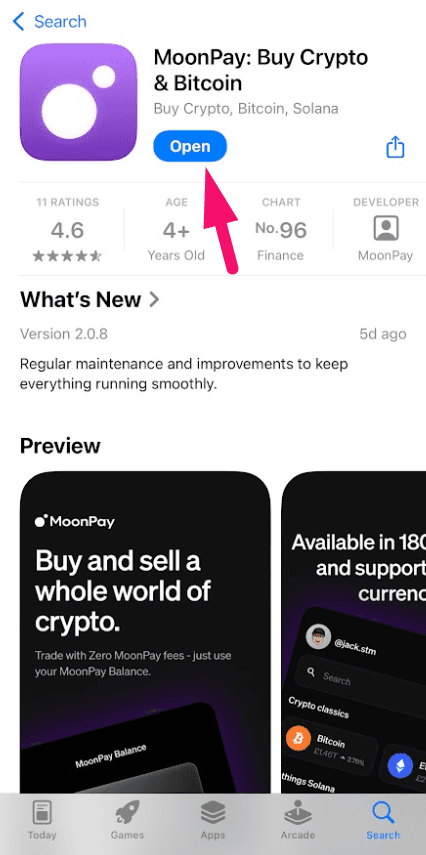
Download MoonPay
Go to the App Store or Google Play Store, search for MoonPay, and install it.
Get started and sign in
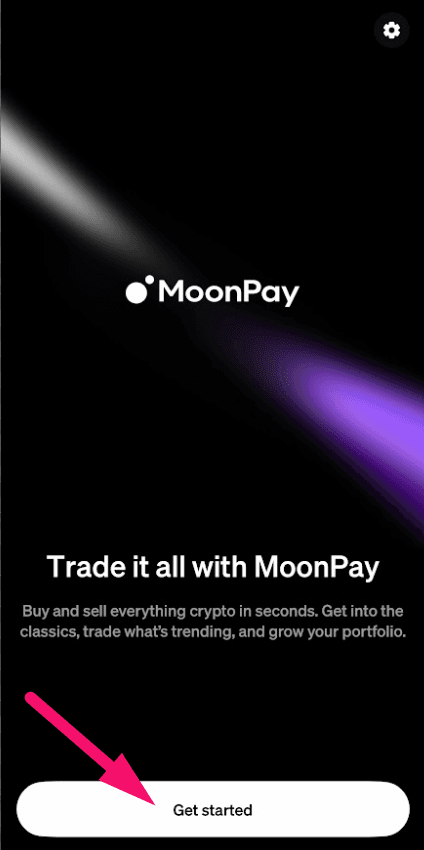
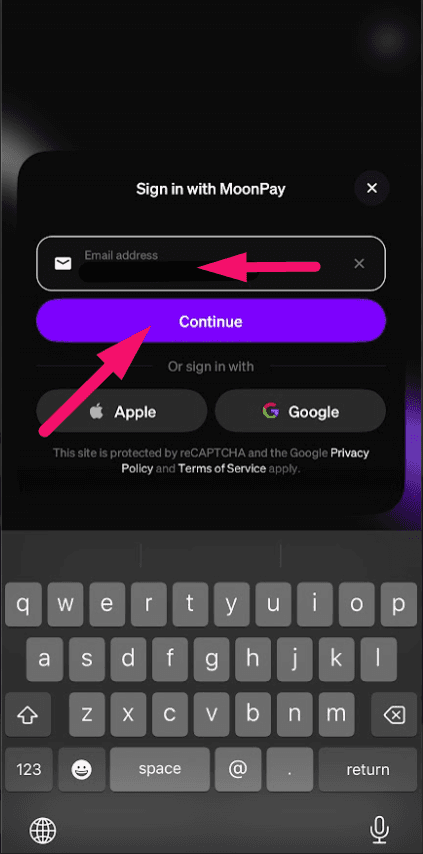
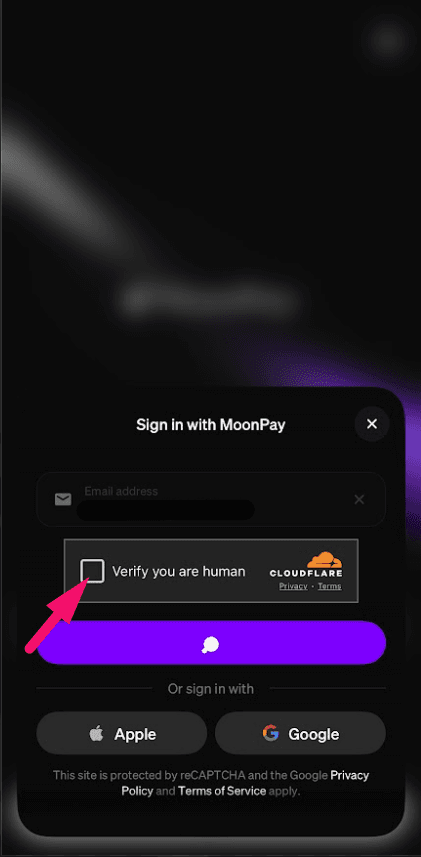
Open MoonPay and tap Get Started. Enter your email address and tap Continue. You can also sign in with Apple or Google.
Verify your email
Enter the verification code sent to your email inbox to confirm your account.
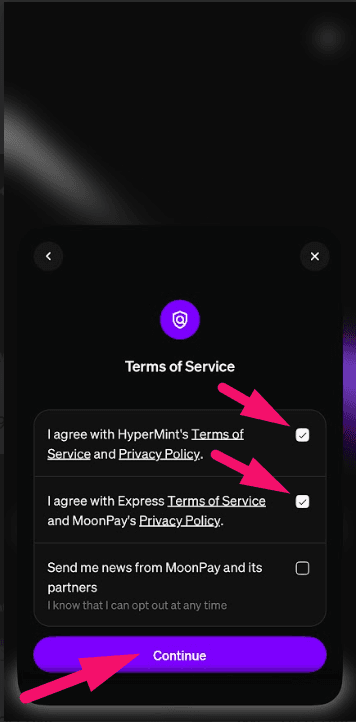
Complete initial setup
Allow or skip notifications. When asked about crypto experience, select 'Not yet' if you are new, then tap Next.
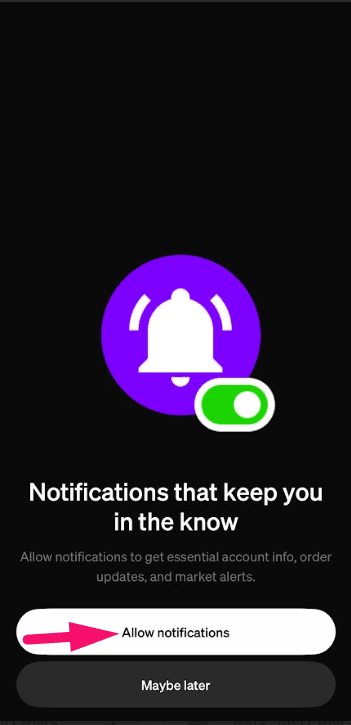
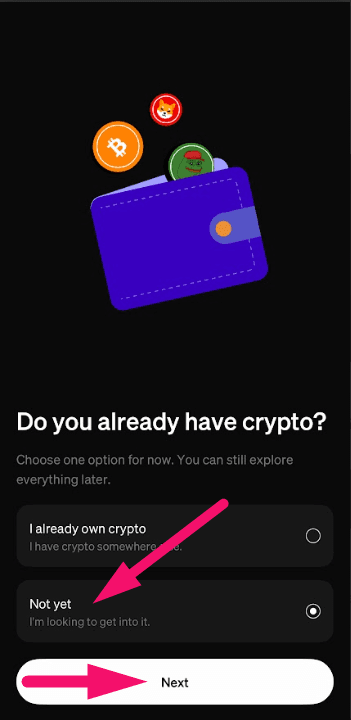
Buying Bitcoin
Activate your portfolio and find Bitcoin
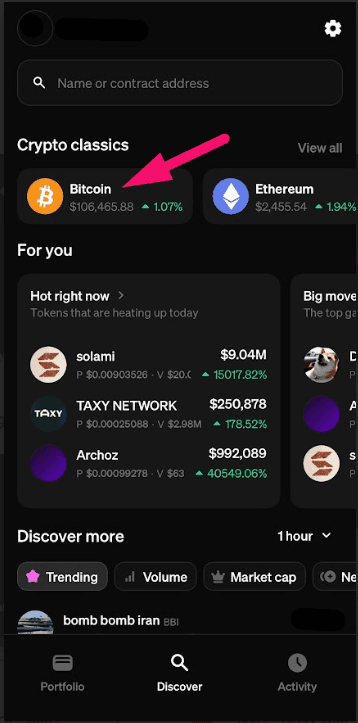
On the MoonPay dashboard, tap Activate Portfolio. Then go to the Discover tab and tap Bitcoin under Crypto Classics.
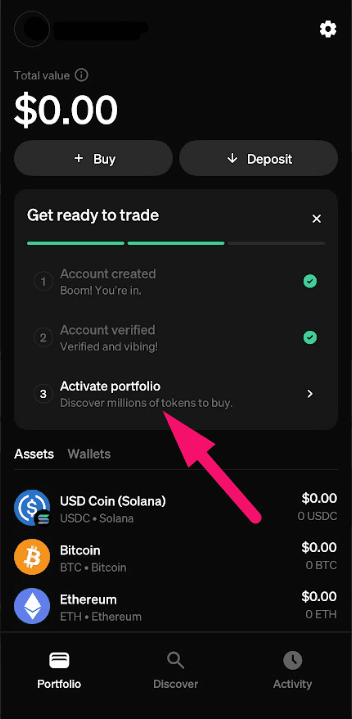
Start identity verification
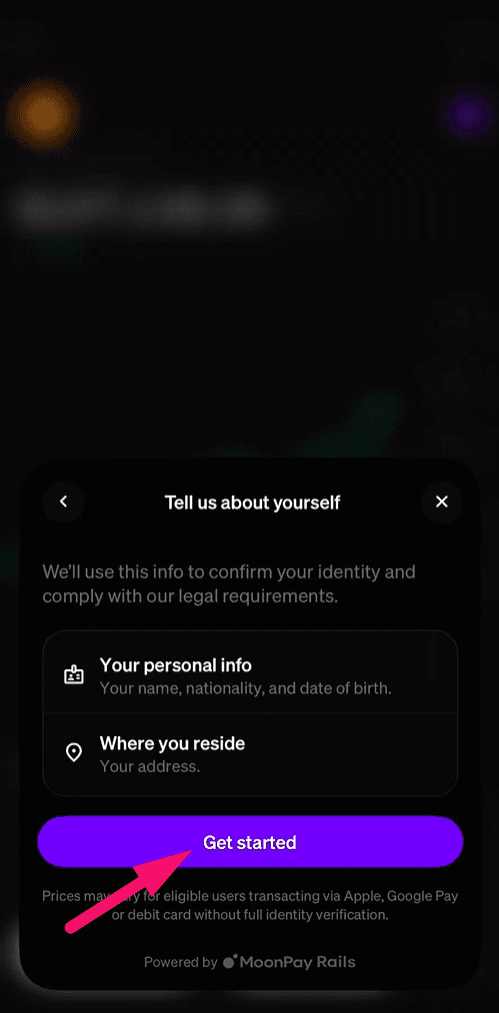
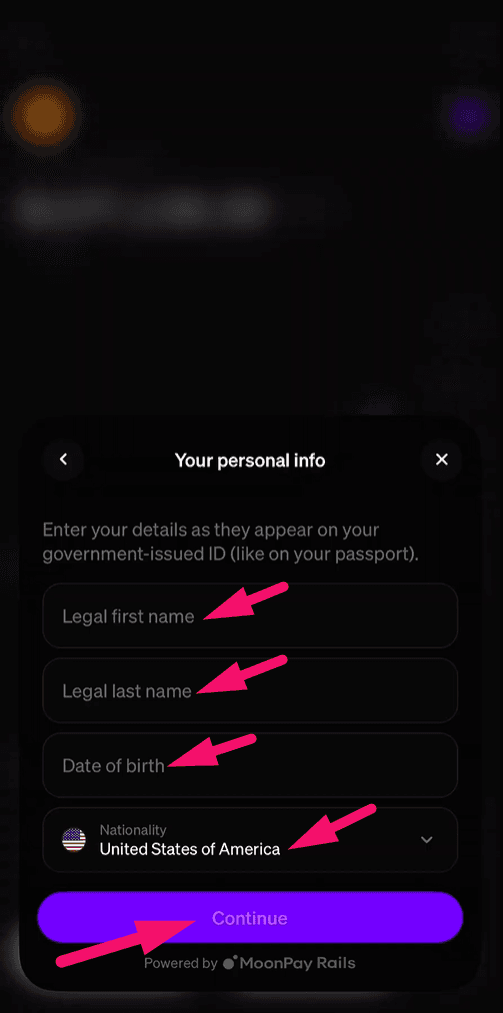
MoonPay will ask you to verify your identity. Tap Get Started, enter your personal info (name, nationality, date of birth) and your address.
Verify your phone number
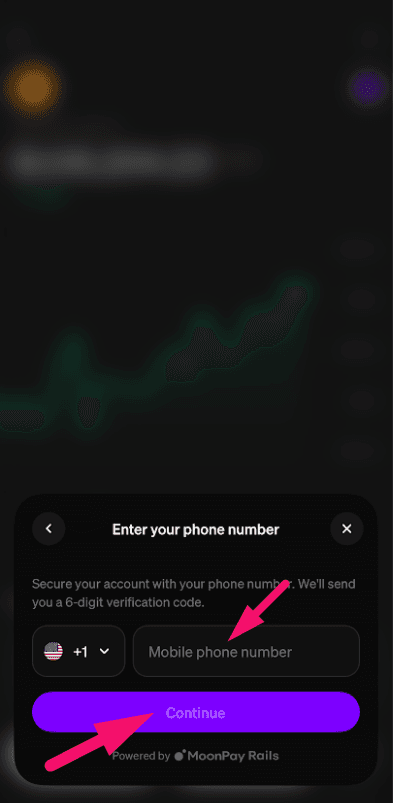
Enter your mobile phone number and verify with the SMS code.
Complete ID verification
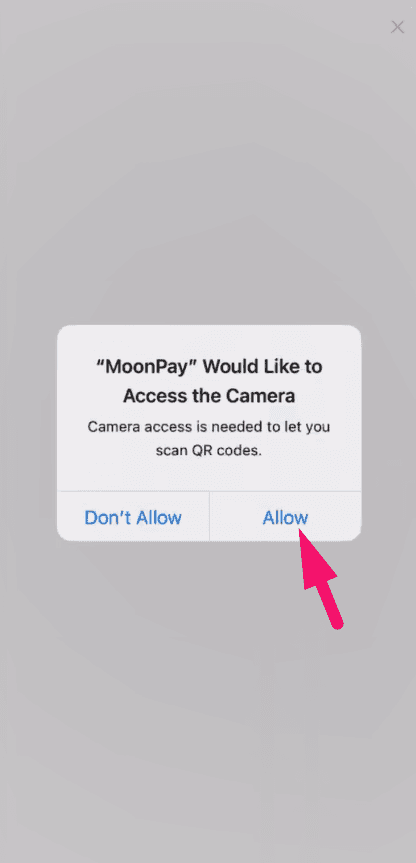
Allow camera access, upload photos of your government-issued ID (front and back), and take a selfie for facial verification.
Pro tip: Make sure you have good lighting for the ID photos and selfie.

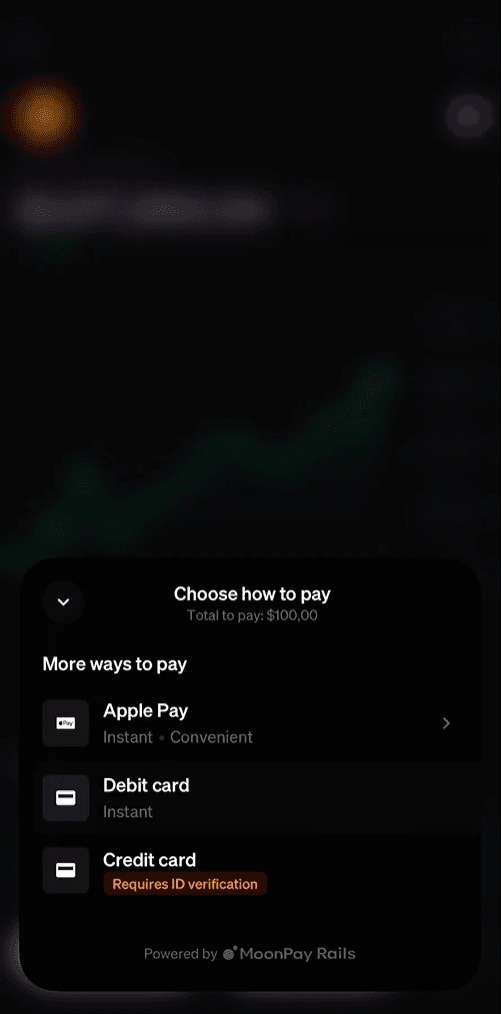
Choose your payment method
Select how you want to pay: Apple Pay (instant and convenient), Debit card (instant), or Credit card (requires full ID verification).
Note: MoonPay charges approximately 4.5% for card purchases. Apple Pay and debit cards are instant.
Sending your payment
Go to the Apollo subscription page
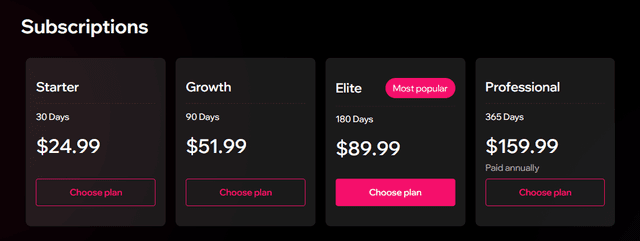
Log in to Apollo Group TV, go to the subscription page, and click Choose Plan for your preferred package.
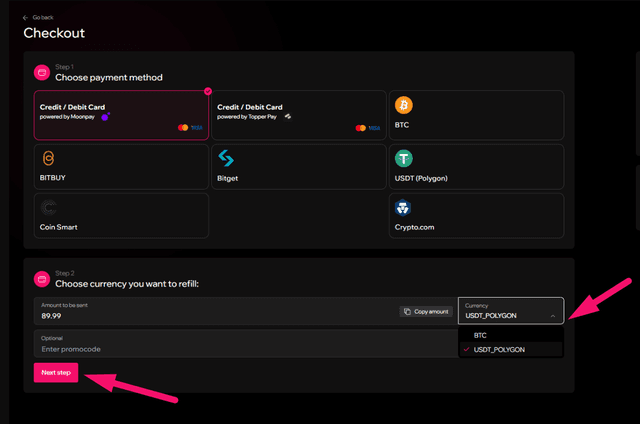
Select Credit Card / MoonPay payment
Choose the Credit / Debit Card payment method powered by MoonPay. Make sure to select BTC as the currency, then click Next Step.
Acknowledge and copy the wallet address
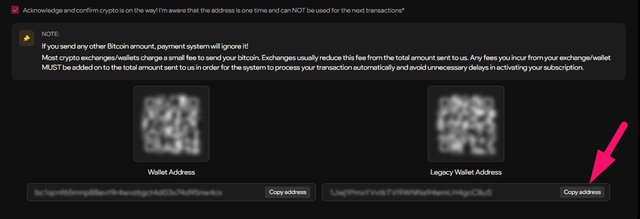
Check the acknowledgment box to confirm the address is one-time use. Copy the Bitcoin wallet address shown, or use the Legacy Wallet Address if the first one is not supported.
Note: Each wallet address is unique and one-time only. Do NOT reuse old addresses for future transactions.
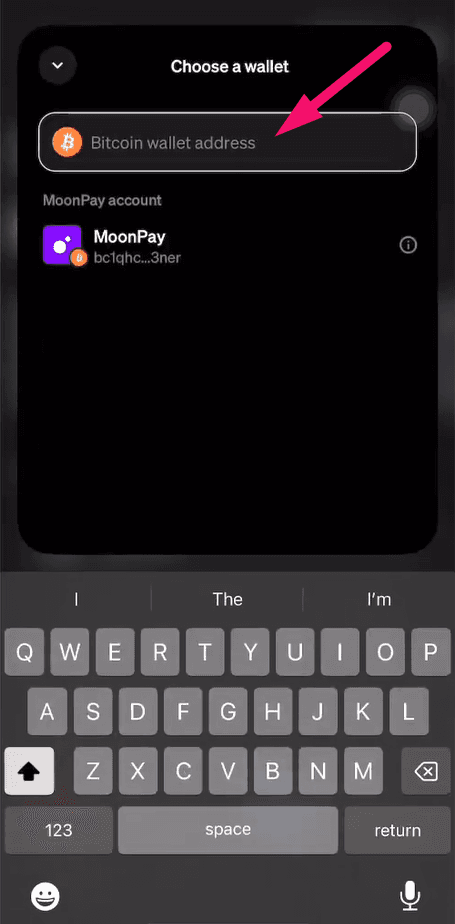
Enter the address in MoonPay and complete
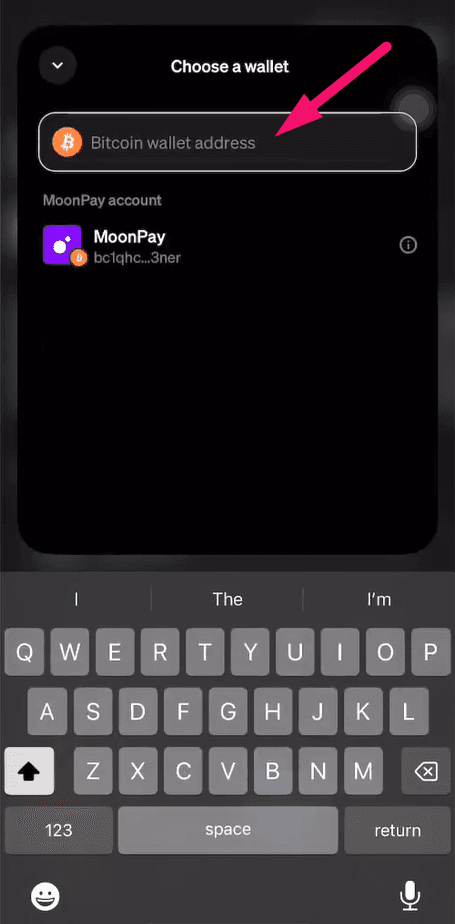
In MoonPay, set the destination wallet address to the one you copied from the Apollo payment page. Enter the amount matching your subscription price and confirm the purchase.
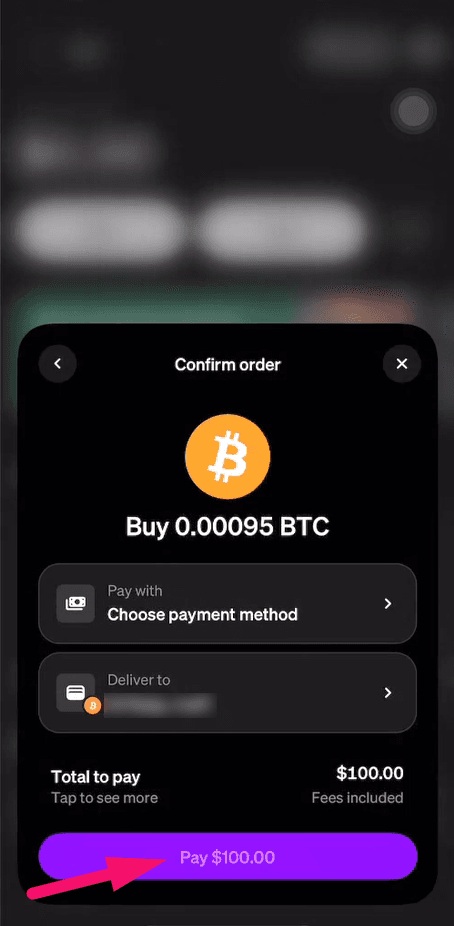
Wait for confirmation
MoonPay processes the purchase and sends Bitcoin directly to the payment address. Wait for blockchain confirmation — usually 10–30 minutes.
What happens next?
Once the blockchain confirms your transaction (10–30 minutes), your Apollo Group TV subscription activates automatically. You will receive a confirmation email with your login credentials and setup instructions.
Frequently asked questions
MoonPay accepts Visa, Mastercard, Apple Pay, Google Pay, Samsung Pay, and bank transfers. Some prepaid cards may not work depending on the issuer.
Other payment guides
Ready to subscribe?
Get instant access to 22,000+ live channels, 90,000+ movies and shows, and premium sports content.
Subscribe to Apollo Group TVWant to compare tiers first? See all plans or talk to support.